
Vibe Coding IDEs: a brief comparison (EN)
Published:
Author: Koutian Wu; GitHub: ktwu01 290 stars
TL;DR
Every product has its own pros and cons. Cursor: “extraordinarily productive”; Kiro: “spec-driven”; Antigravity: “agent-first”.
If you are a heavy vibe-coding user (like me) and you want to ship faster and cheaper when your boss won’t give you API keys, my suggestion is: use all of them in parallel.
If you are a light vibe-coding user: if you are a student, get Cursor’s student plan (best overall vibe-coding experience). If you’re not a student, Kiro / Antigravity don’t require verification—just sign up with a Google account—so they’re the best value.
I haven’t seriously used Trae as a production tool. For a long time, I used VS Code only as a normal editor plus copy/pasting code from web-based GPT. After the vibe-coding era arrived, I basically stopped using it—not because VS Code isn’t free, but because the AI assistant experience around it usually isn’t.
For vibe-coding IDEs, I’ve only used Cursor, AWS Kiro, and Google Antigravity. The reason I tried so many isn’t “bad students need more stationery”—it’s because Cursor’s free student quota + Claude Code + Gemini CLI + Codex still aren’t enough for my usage. I might talk about Claude Code + Gemini CLI + Codex in the next post.
Cursor
Official positioning (Cursor website):
“Built to make you extraordinarily productive, Cursor is the best way to code with AI.”
Cursor has the most “bells and whistles”, and the most complete vibe-coding configuration options. The design is thoughtful and matches its “extraordinarily productive tool” positioning.
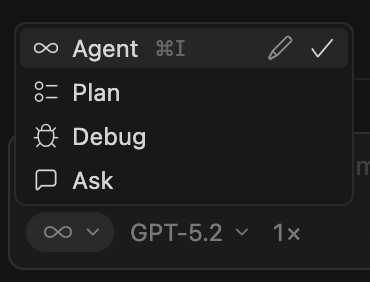
For example: multiple modes for thinking and creating.
For example: multiple models can work in parallel across different git worktrees.
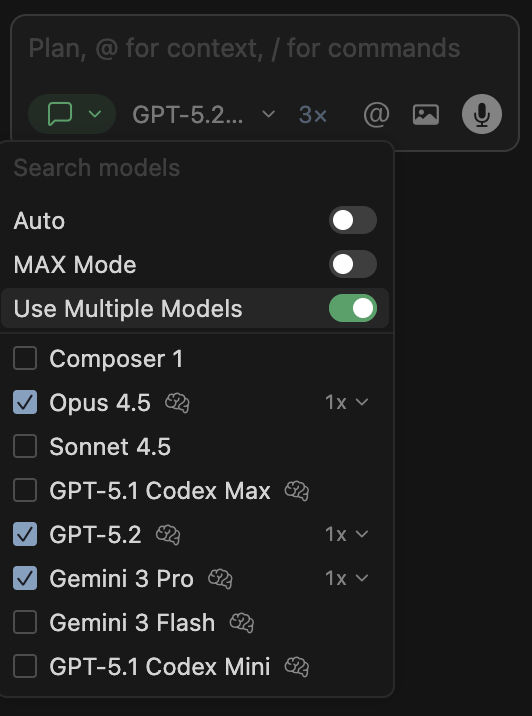
Some models can’t do web search, which is painful. This is where Cursor’s “pick multiple models” advantage becomes obvious.
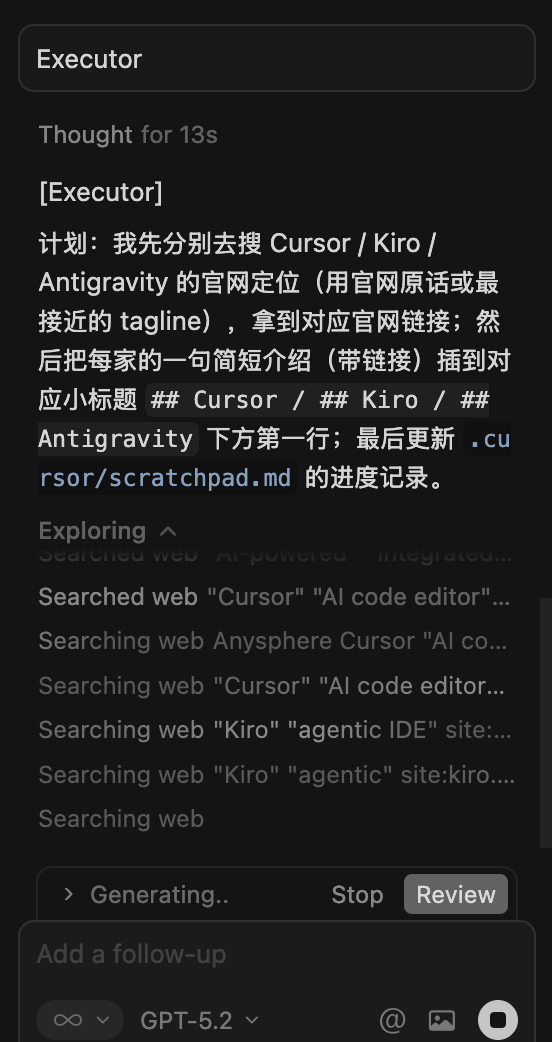
Cursor lets you choose “revert” or “don’t revert”. This gives users autonomy and shows respect for the user’s judgment. The other IDEs I tried force “revert” by default, which I personally don’t like.

Kiro
Official positioning (Kiro website):
“Agentic AI development from prototype to production. Kiro helps you do your best work by bringing structure to AI coding with spec-driven development.”
So the keyword is: spec-driven.
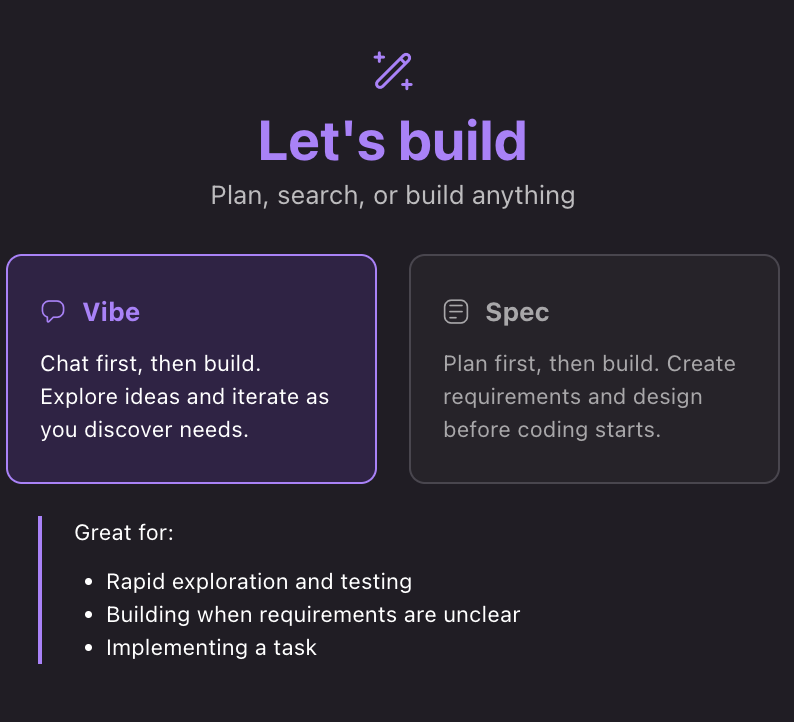
Kiro’s spec feature lets you choose “Vibe”, or generate a very detailed plan first and then execute it. Other IDEs now have similar flows too—for example, Antigravity’s “fast” can also generate a plan.

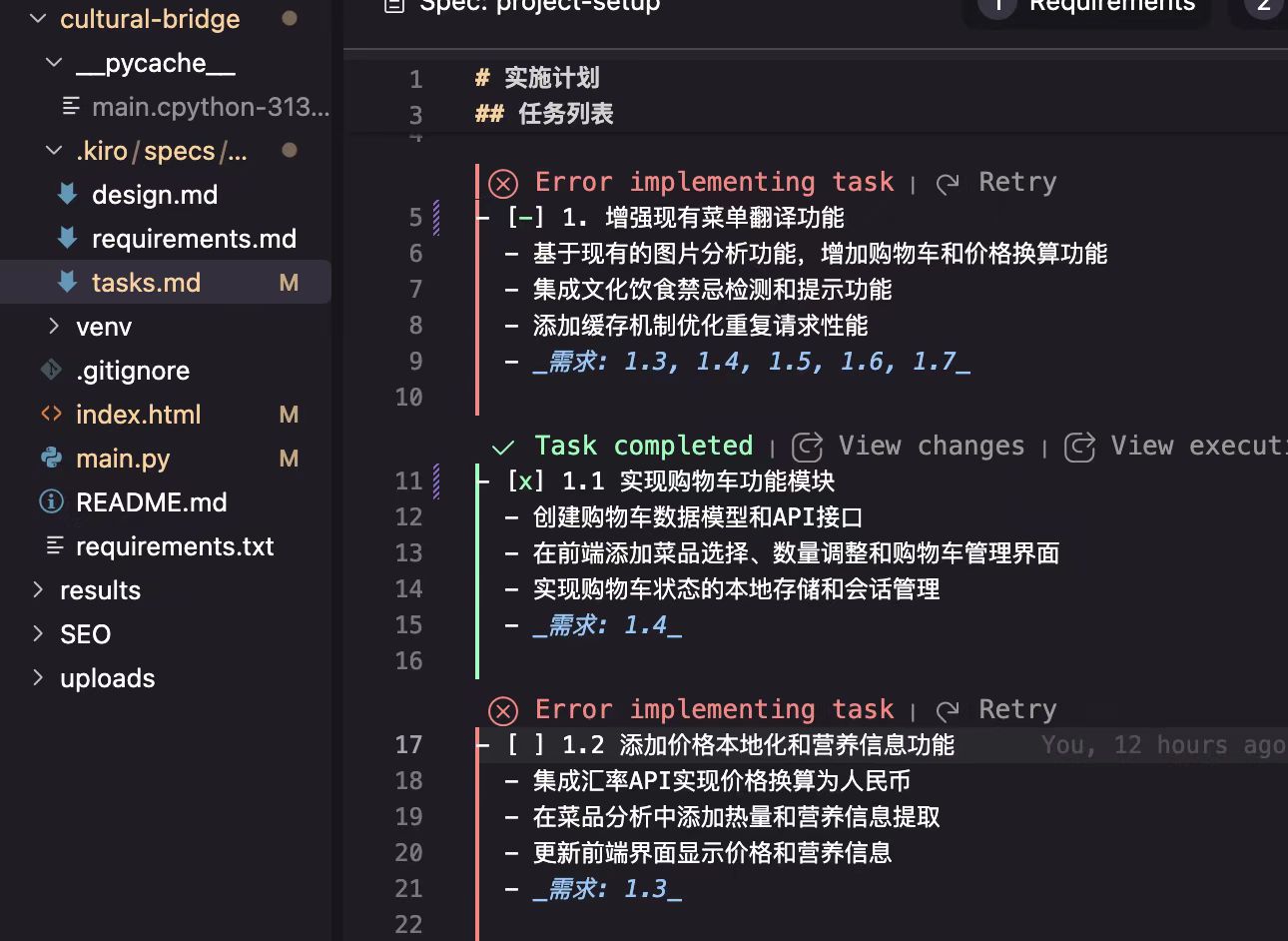
Kiro lets you use Claude models for free. For each newly registered user, it gives you 500 credits without verification. In other words, you can create and use multiple Google/AWS accounts to keep “farming” free credits.
And likely because Kiro’s hype has cooled down recently, the LLM response speed feels much faster than before and it disconnects less. Using it now feels like:
buying where nobody cares.
I happened to run out of credits on a free-tier account today, so I did a rough estimate: with 500 credits, if you use Claude Opus 4.5, you can build a 60k+ lines multi-agent system MVP. That’s really strong.
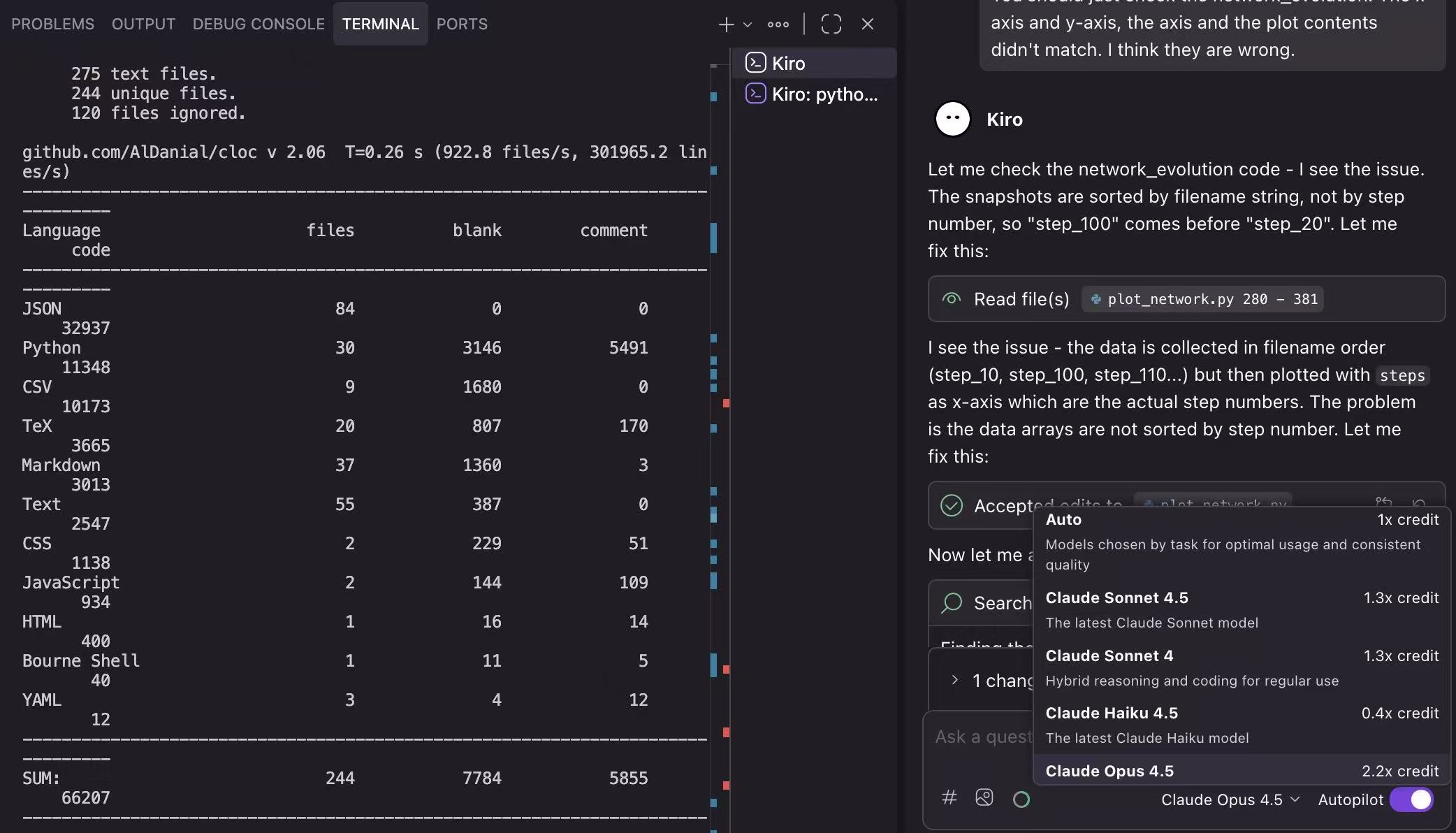
On Kiro’s free tier you can use multiple Claude models, including the strongest Opus 4.5. But Kiro only provides Claude models.

One big advantage of Kiro over Cursor: when configuring the allowlist for auto-running commands, Kiro lets you manually choose which part of a command to allow in the UI. Cursor can’t do that.
e.g. in Kiro, you can choose between allowing “git *” or “git add *”.
But both can do something very silly: if the first line is a comment, they might ask you to add the comment into the allowlist.
e.g. choose if you want to add “# This code is for xxx” to the allowlist
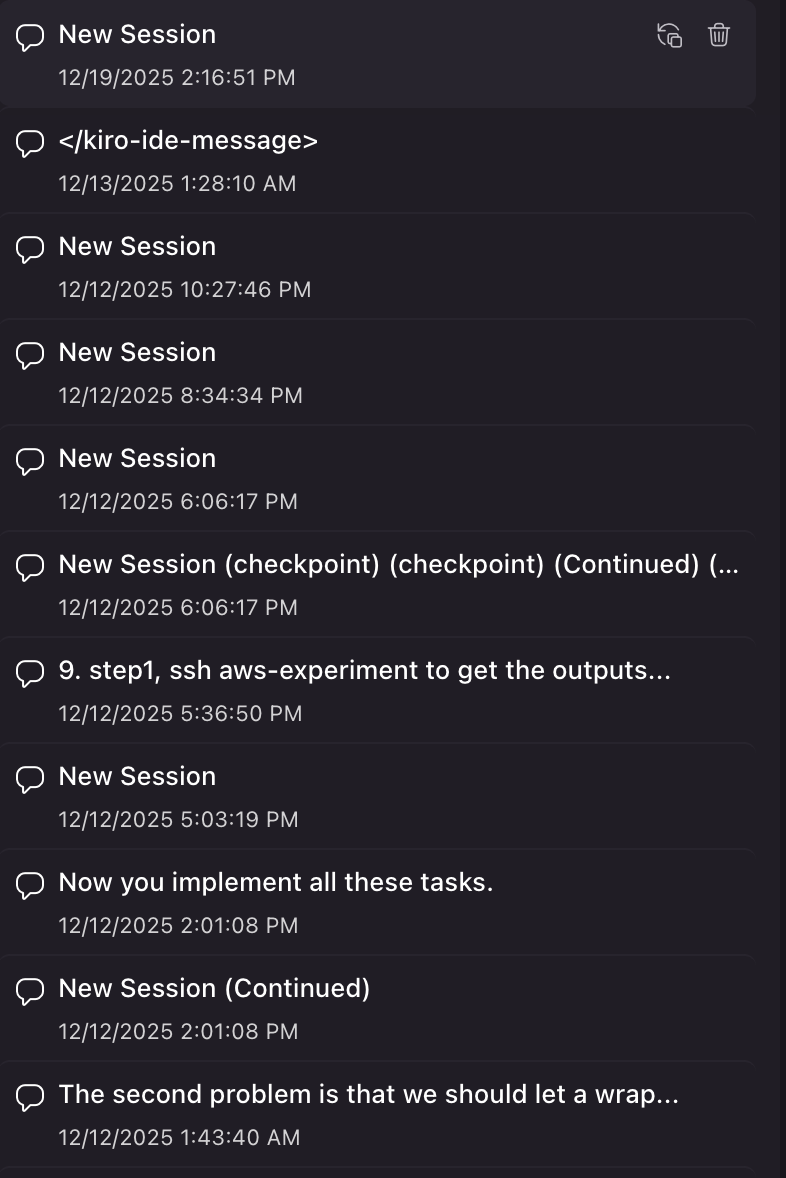
One downside of Kiro: after the conversation exceeds the max context limit, it will force a summary and jump into a new chat window, instead of summarizing within the same window like Cursor.
If your conversation is long, you’ll see new chats popping up constantly, and their titles are basically meaningless.
Antigravity
Official positioning (Google Developers Blog):
Google Antigravity is “a new agentic development platform” that combines “an AI-powered coding experience” with “a new agent-first interface”.
So the keyword is: agent-first.
Interestingly, Google’s Antigravity isn’t limited to Google models. It provides Gemini Pro high, GPT OSS, and Claude Opus 4.5 for free. That’s genuinely generous.
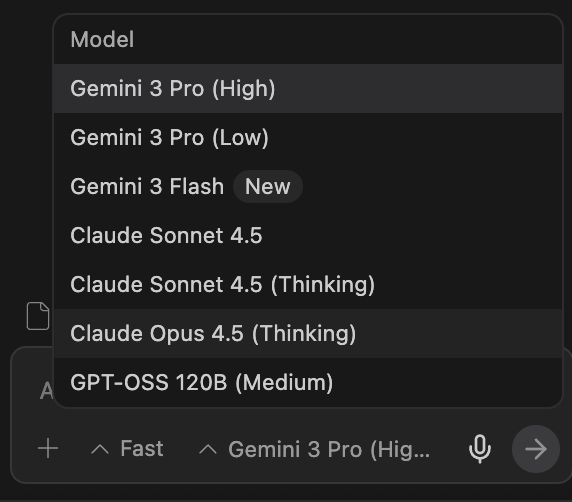
Antigravity has a considerate feature: by default, it doesn’t create tons of messy “repo intro” artifacts inside your codebase.
But it still creates junk!! Just not in your repo—it creates it in its own repo (“brain”). Let’s hope it doesn’t become a brain full of junk.
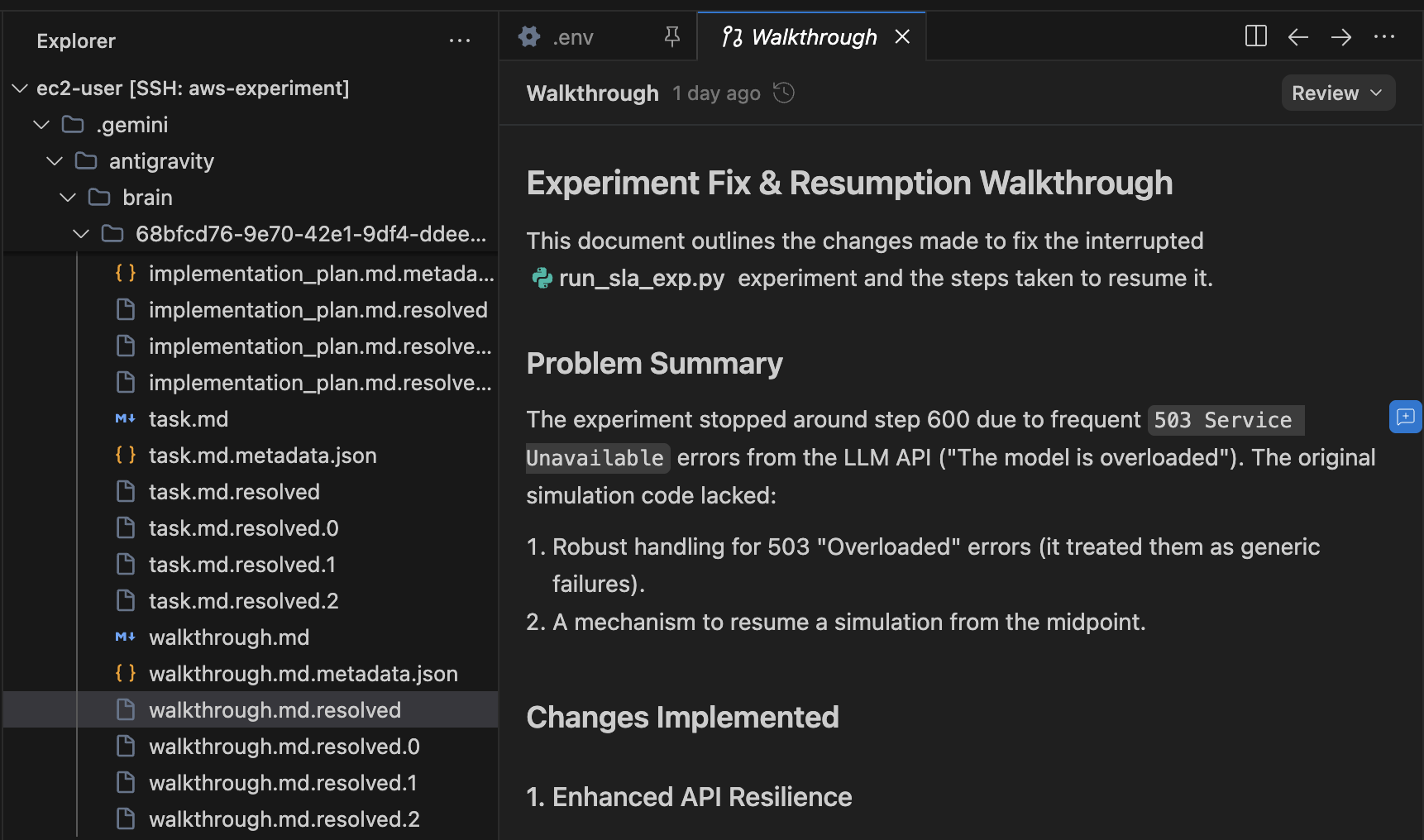
Antigravity’s UI is still slightly behind Cursor (not a fatal problem, but you’ll feel it). That’s understandable because it’s very new. And it’s free—what more can we ask for?
Antigravity also lets you choose different modes for coding.
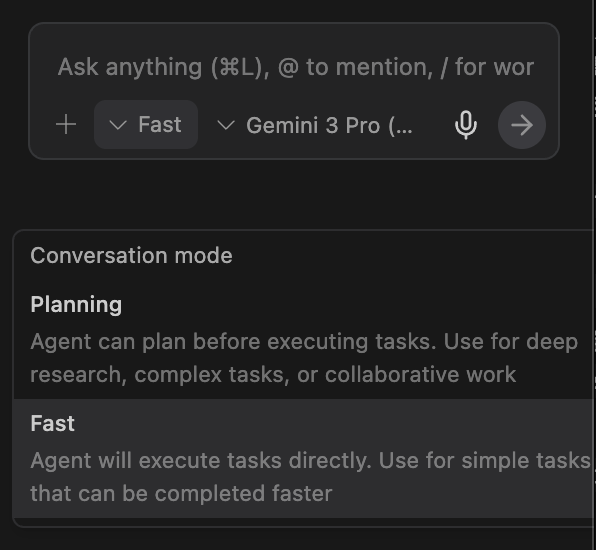
Overall, I think Antigravity is pretty good. If you choose Gemini models, its “thinking speed” feels faster than the other IDEs. Of course, this might just be observation bias, because I’ve used it for a shorter time and on simpler tasks.
Summary
Every product has its own pros and cons. Cursor: “extraordinarily productive”; Kiro: “spec-driven”; Antigravity: “agent-first”.
If you are a heavy vibe-coding user (like me) and you want to ship faster and cheaper when your boss won’t give you API keys, my suggestion is: use all of them in parallel.
If you are a light vibe-coding user: if you are a student, get Cursor’s student plan for the strongest vibe-coding features. Kiro / Antigravity don’t require verification—just sign up with a Google account—so they’re the easiest to get started with.
Finally, I hope LLM/IDE vendors keep competing hard, so we can keep using free (or heavily subsidized) IDEs.
Note: please don’t repost/share this post. If too many people learn about these freebies, the promotion will disappear.
Acknowledgement: I’m very grateful to these IDEs. Either I have a student plan or they are free to use—I didn’t pay. Since I’m using free productivity tools, I’m not really in a position to “criticize” them, so everything above is just personal experience and discussion.
Disclaimer: I’m not advocating “credit farming”; I’m advocating using the free resources that big companies provide first to grow yourself, and then create value that’s bigger than simply paying for subscriptions.